
Time to make it official
Now that you’ve found the right membership for you or your family, joining or renewing is easy. Whether you’re a new member, returning family, or renewing for another season, follow the steps below to get started.
Still trying to figure out what membership is right for you?
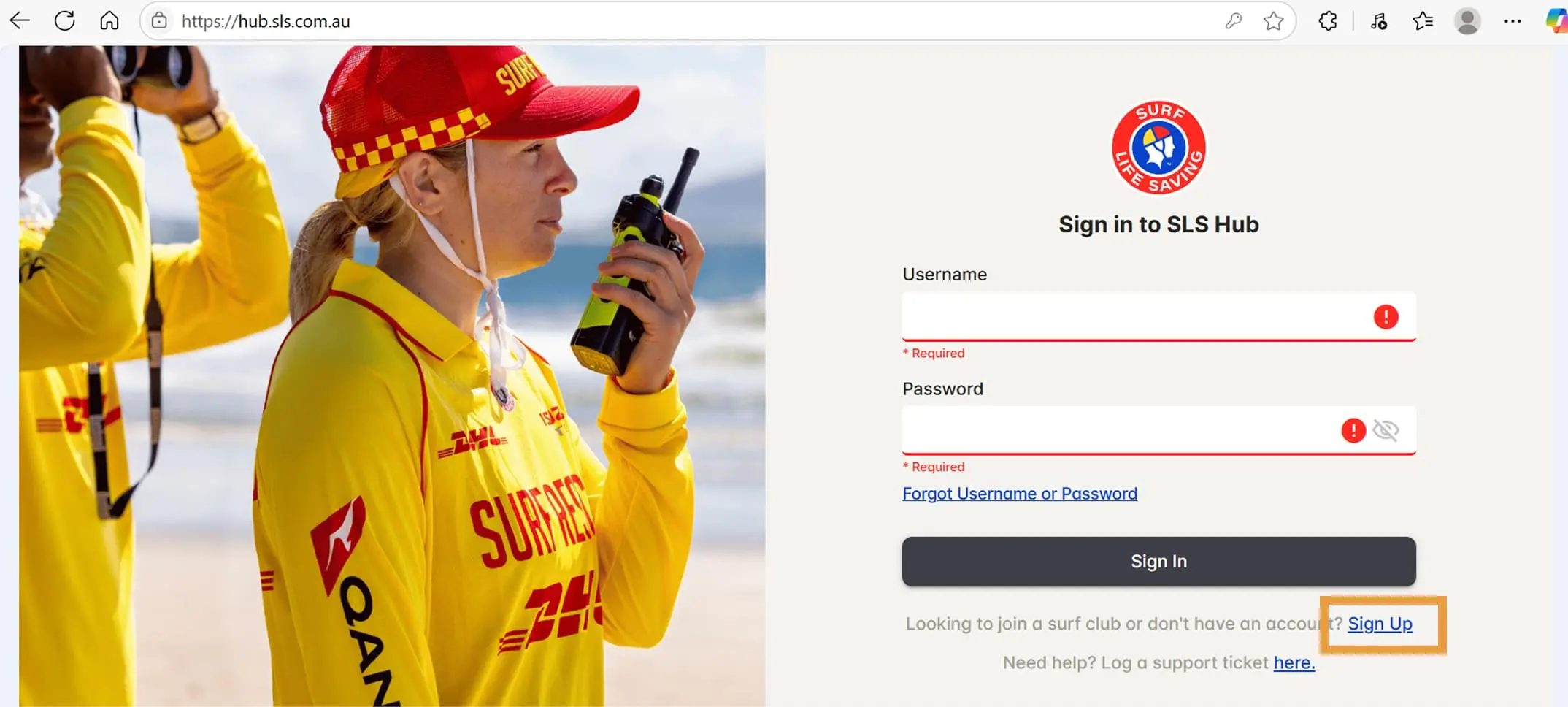
Step 1
Create a new account on the SLS Hub at https://hub.sls.com.au by clicking on the Sign Up link under the Sign In button.
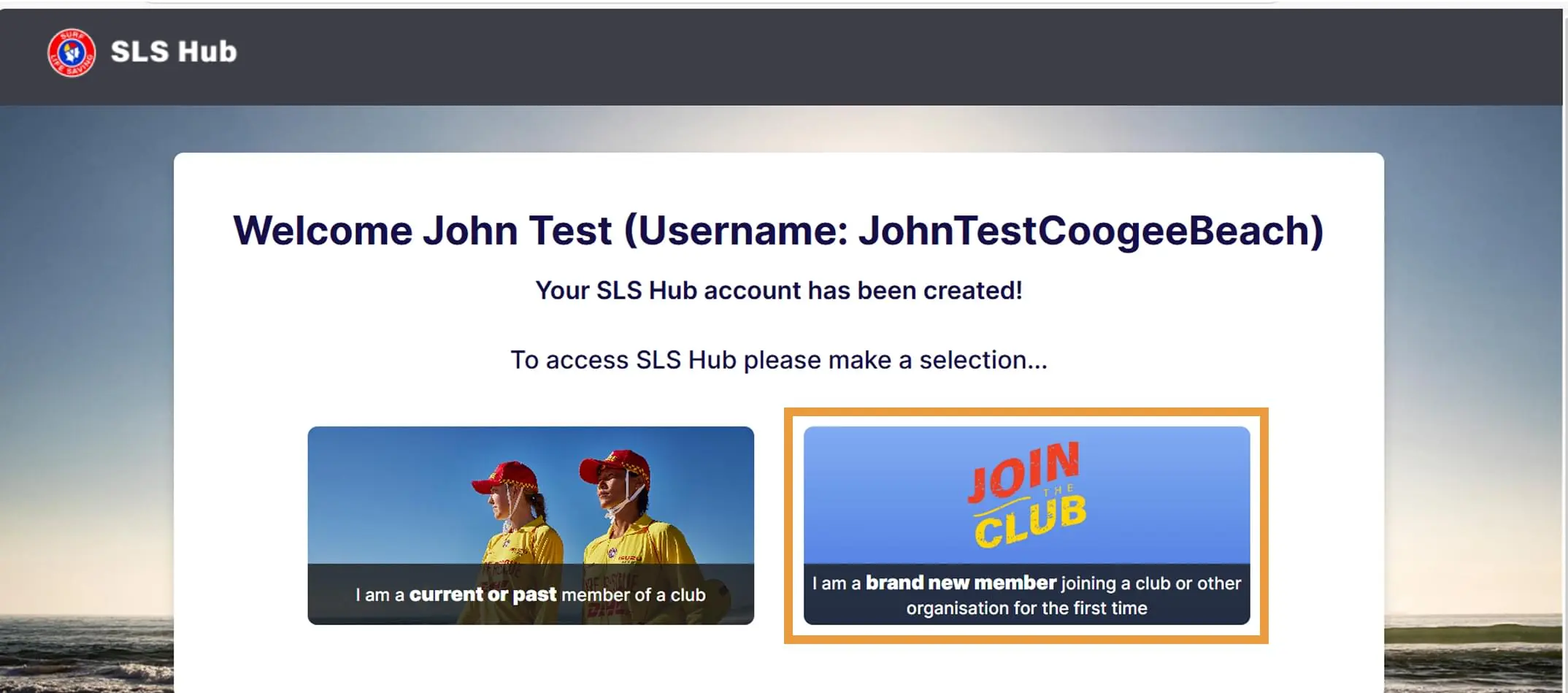
Step 2
Click on the Join the Club tile.
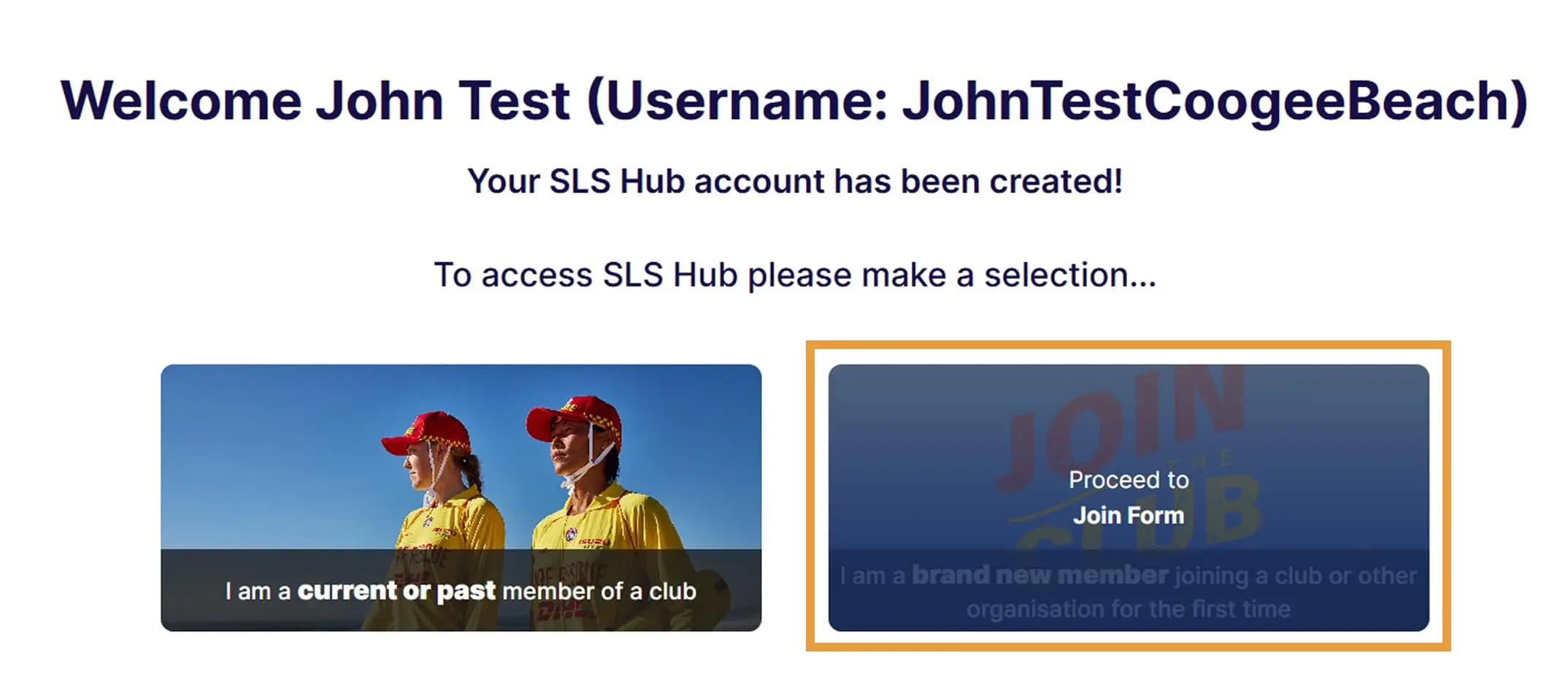
Step 3
Click Proceed to Join Form.
Step 4
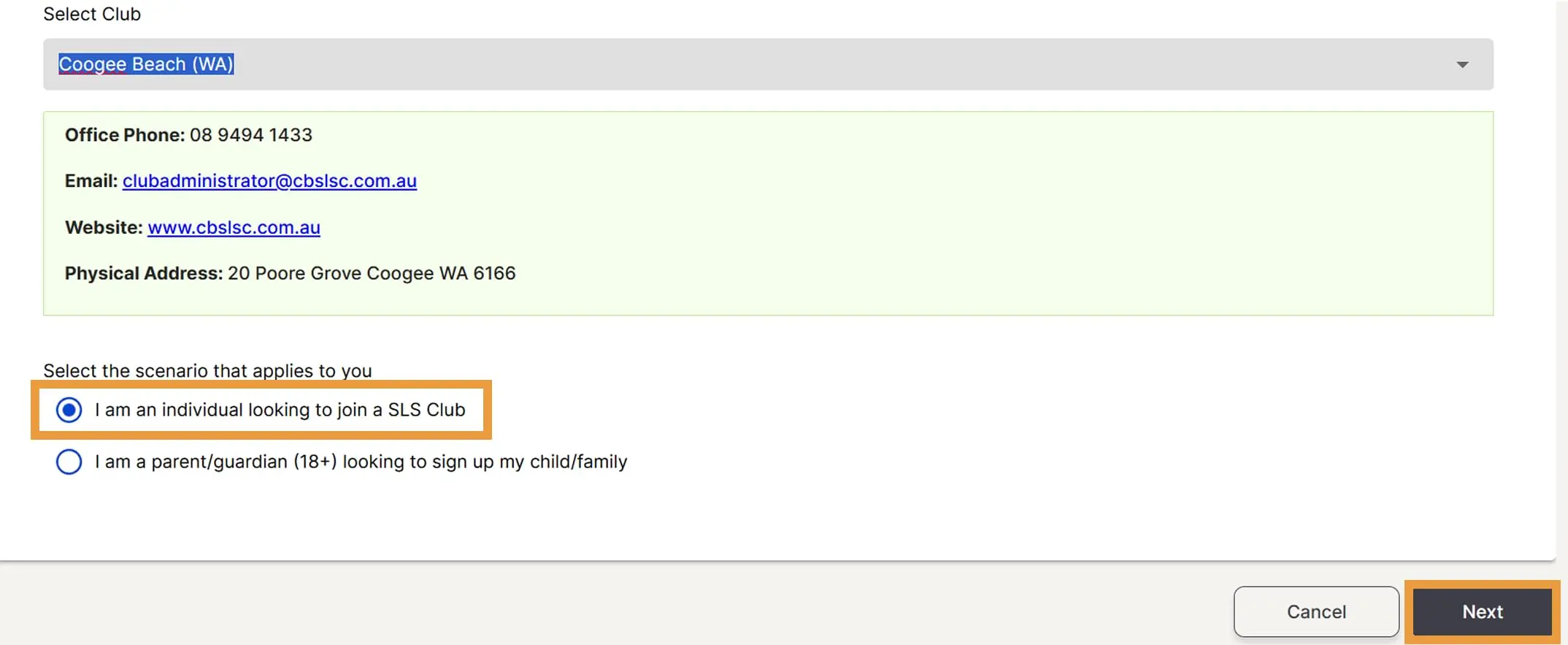
Select ‘Coogee Beach (WA) (ensure you select the correct Coogee Beach!) from the Select Club drop-down menu.

Step 5
Select I am an individual looking to join a SLS Club. Then click Next.
Step 6
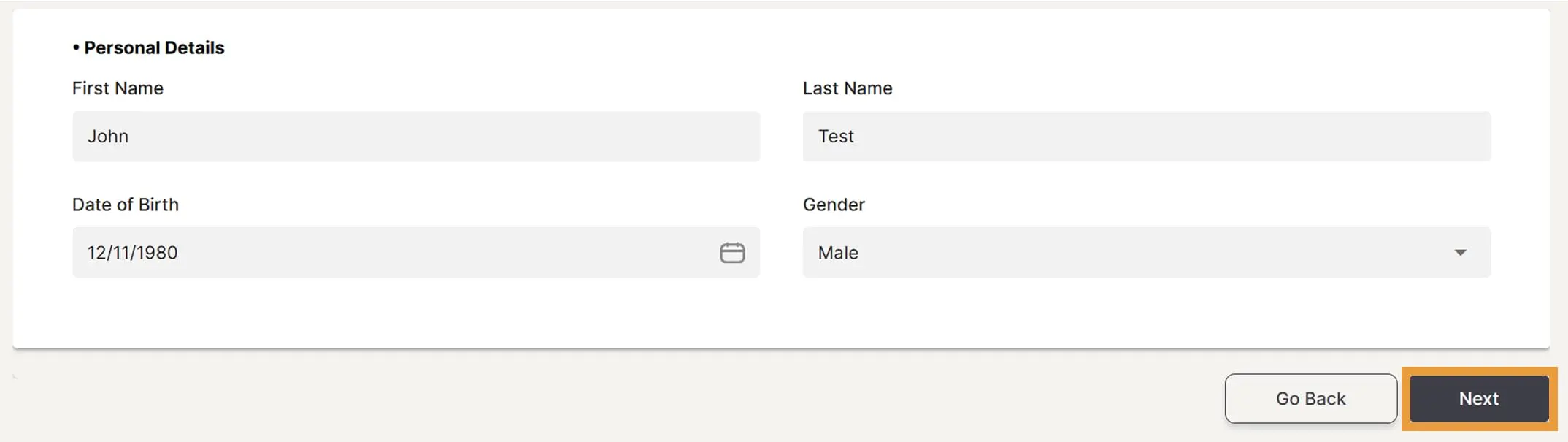
Enter in your personal details. Then click Next.
Step 7
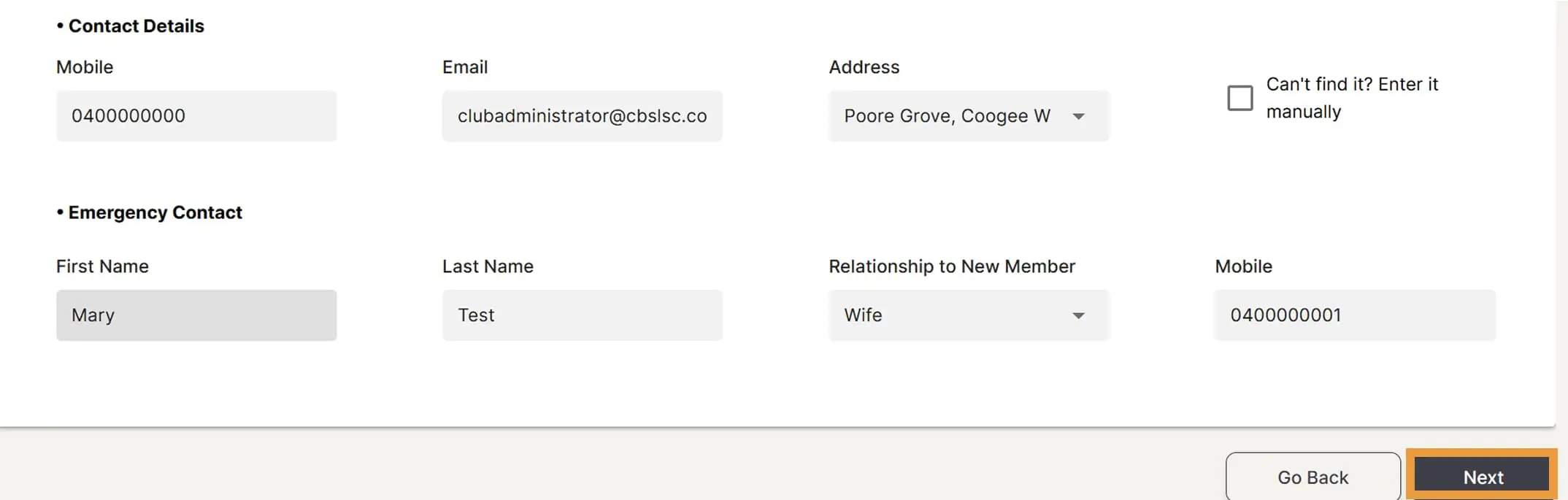
Enter in your contact details and emergency contact details then click Next.
Step 8
Click on the declaration hyperlink and read the terms and conditions. Once read and you agree, tick the checkbox to acknowledge and agree to the declaration. Then click Next.

Step 9
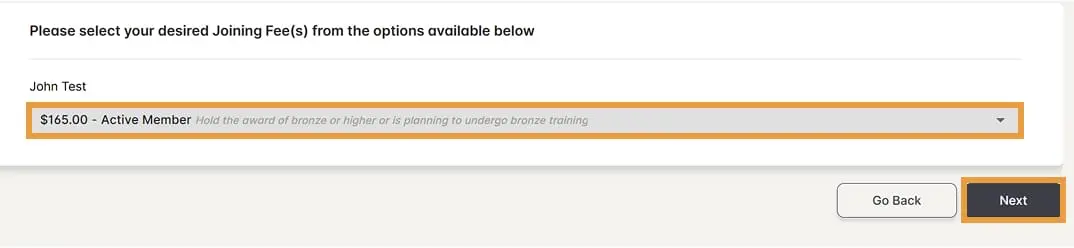
Select the Active Member fee type and payment amount . Then click Next.
Step 10
Select payment method, enter in your details and then click Pay. Once payment has been processed, your application will be sent to the Club Administrator for approval. Once approved, you will receive an email notification. Note: Your membership will not be active until checked and approved by the Club Administrator.
If you are using a Kidsport voucher, please email us with your code before completing the below process. Please note, if you have a nipper in the program (Under 6 – Under 13) it is a requirement for the parent to sign up as a general member as well).
Step 1
Create a new account on the SLS Hub at https://hub.sls.com.au by clicking on the Sign Up link under the Sign In button.
Step 2
Click on the Join the Club tile.
Step 3
Click Proceed to Join Form.
Step 4
Select ‘Coogee Beach (WA) (ensure you select the correct Coogee Beach!) from the Select Club drop-down menu.
Step 5
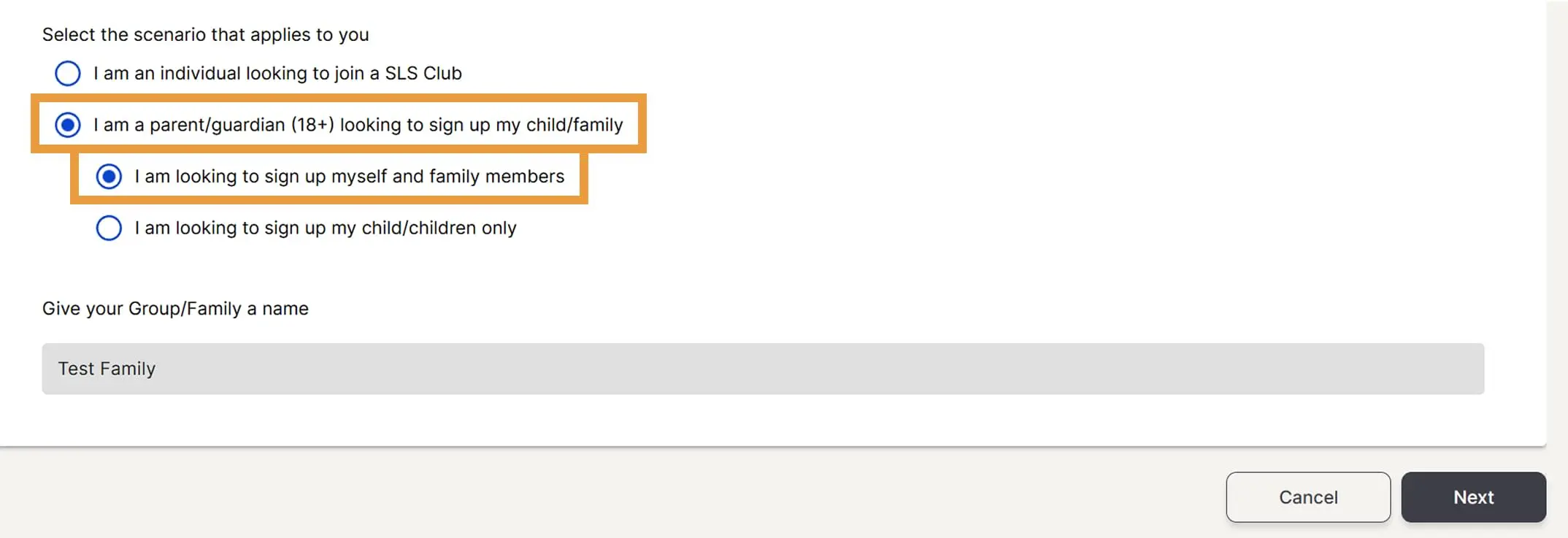
Select I am a parent/guardian (18+) looking to sign up my child/family. Then select the first option if all members are brand new members and/or if you are already a member and would like to sign up your children and family members.
Step 6
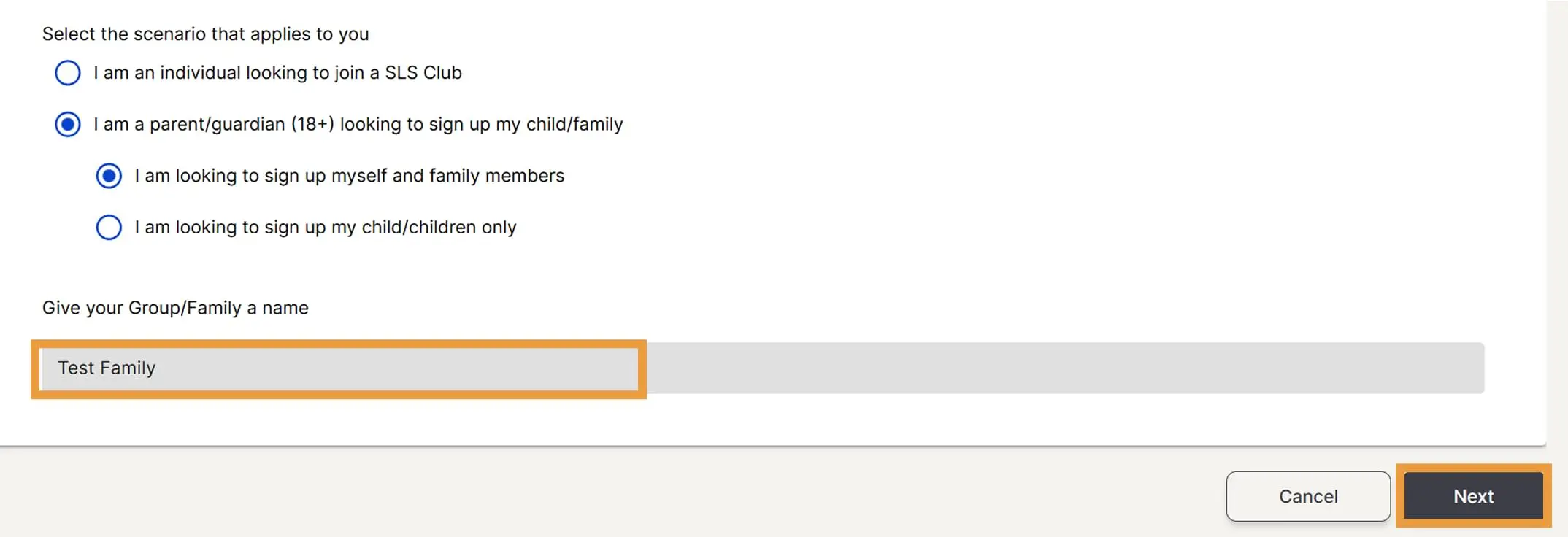
Give your family group a name. It can be your surname. Then click on Next.
Step 7
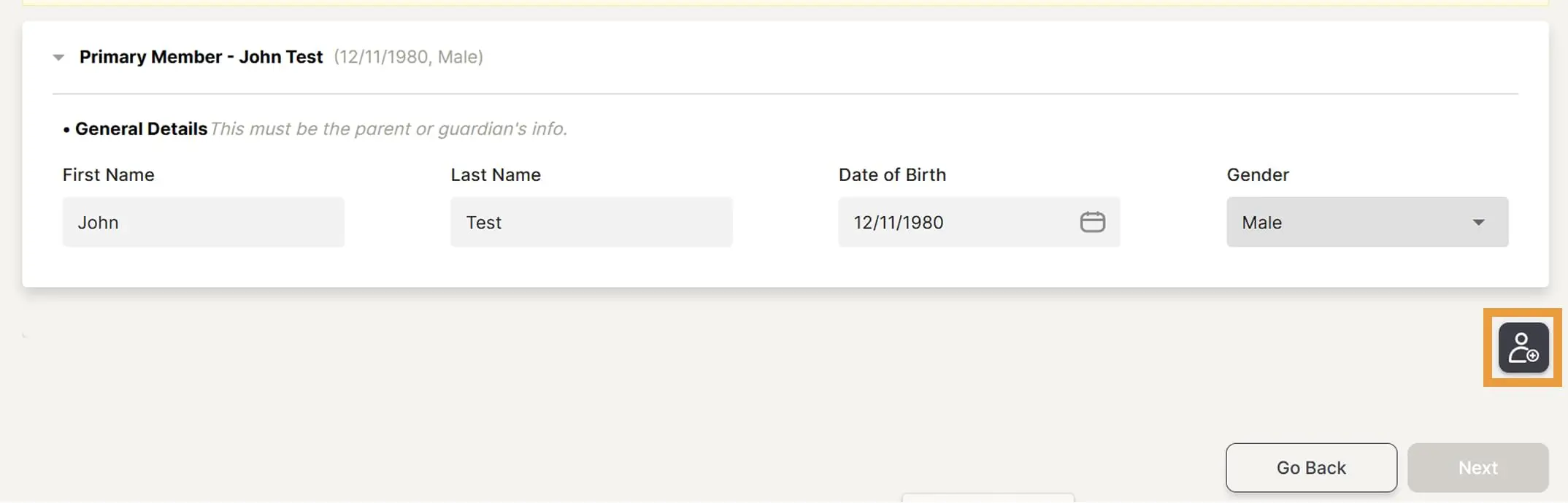
Enter details of members – Primary Member is the main parent for the group. Once Primary Member details are completed, click on the Add member icon to add the next member.
Step 8
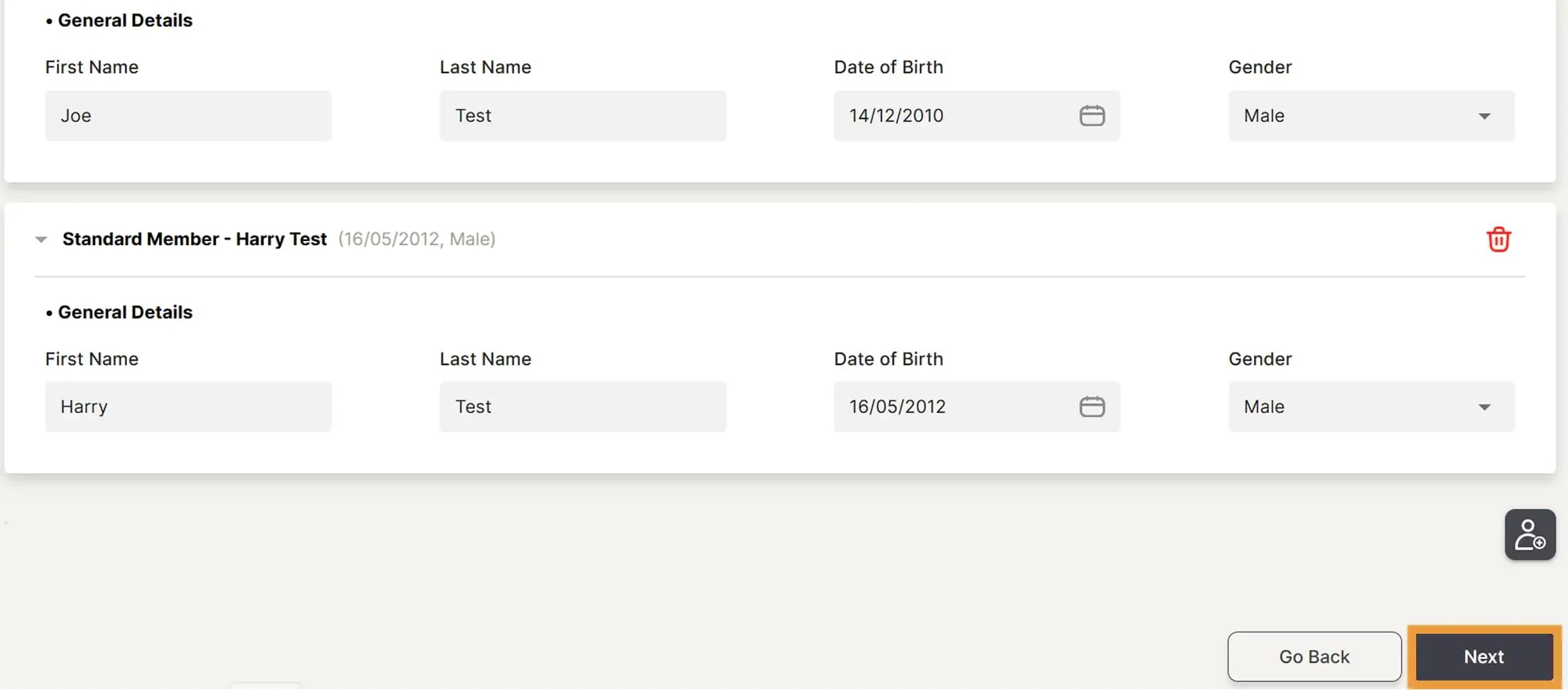
Complete all details for all members required to be added, then click Next.
Step 9
Complete emergency contact details for all members of the group, then click Next.
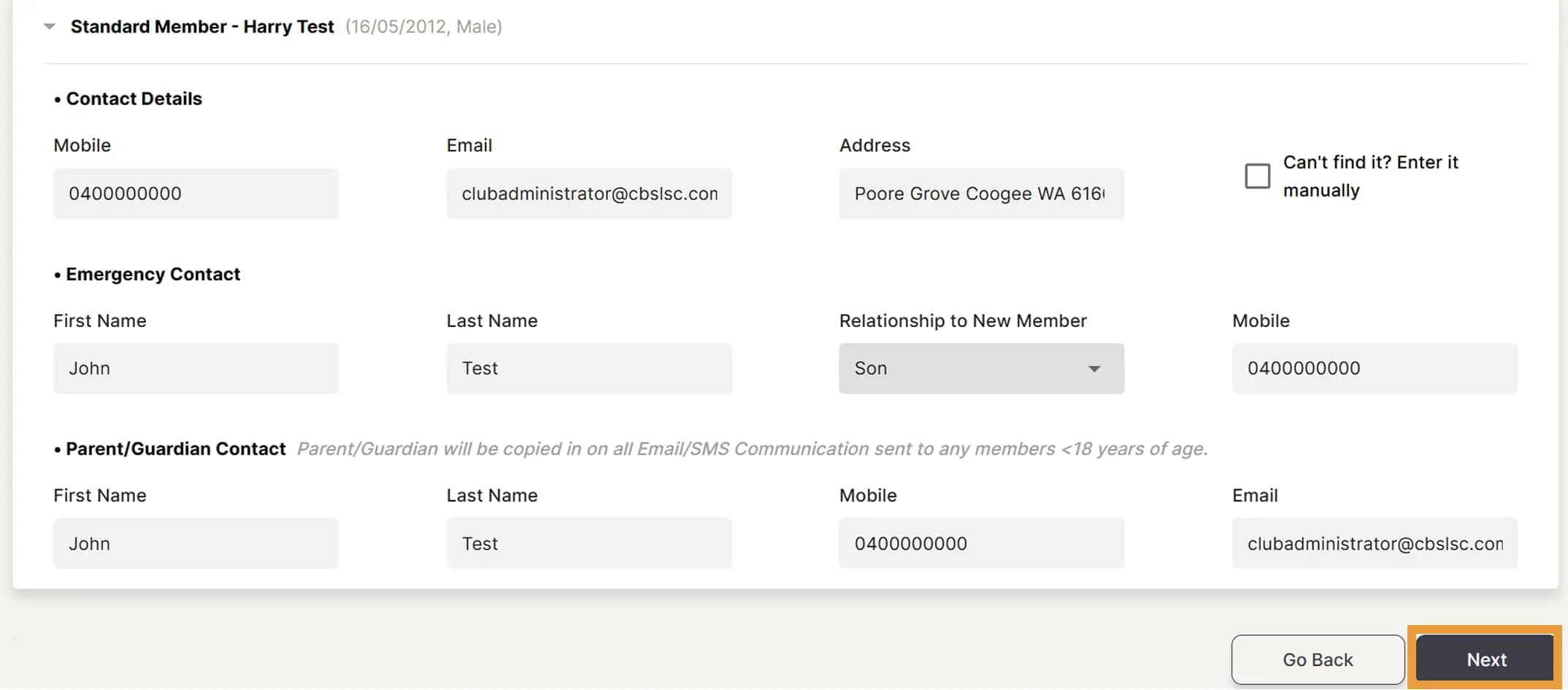
Step 10
Click on the declaration hyperlink and read the terms and conditions. Once read and you agree, tick the checkboxes to acknowledge and agree to the declaration. Then click Next.
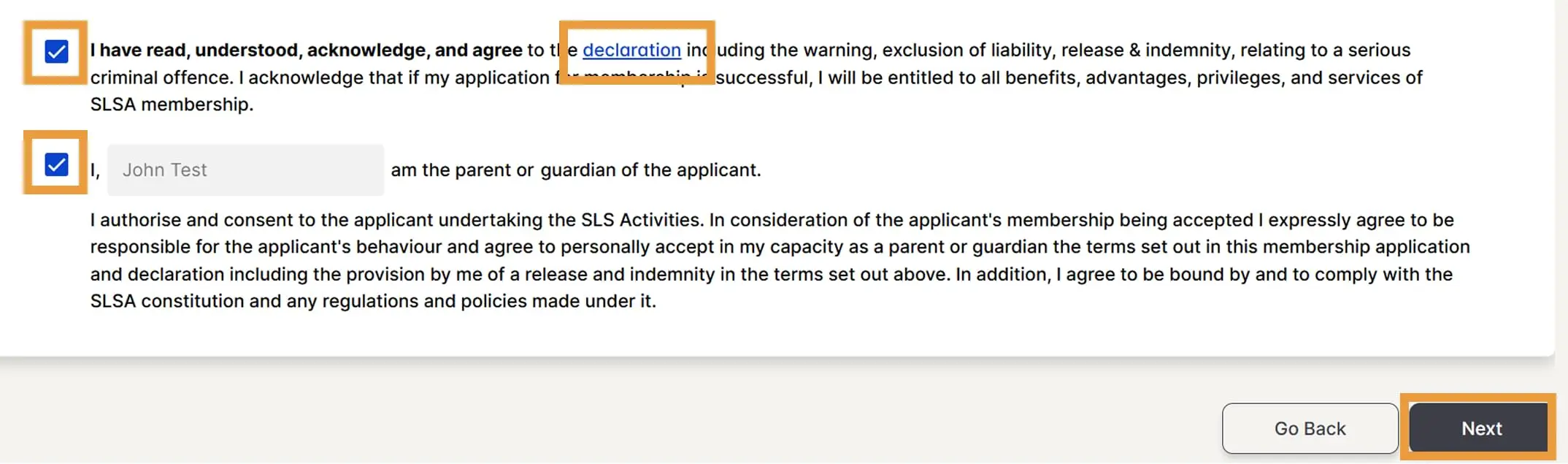
Step 11
Select your joining fee applicable – Family A (4 members total), Family B (3 members), Family C (2 members). Select the Family group amount on the first member only, the other members will then display ‘$0.00 – Included in Family Group’.
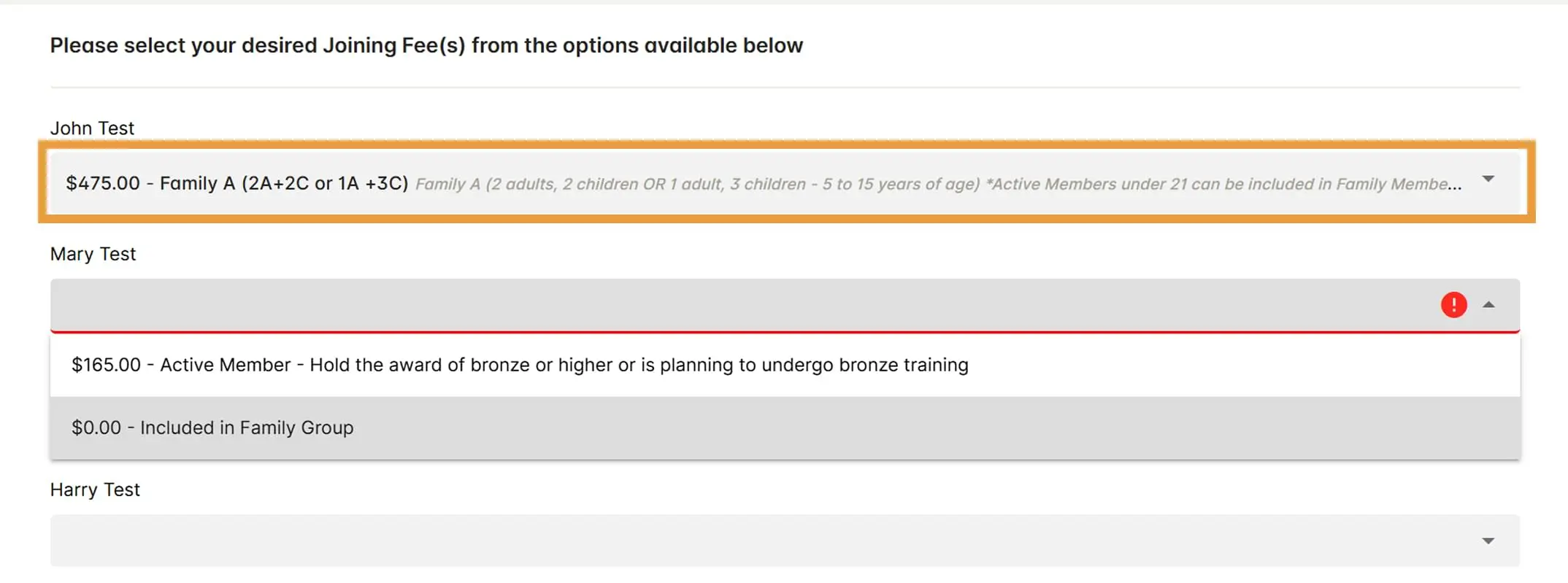
Step 12
Select payment method, enter in your details and then click Pay. Once payment has been processed, your application will be sent to the Club Administrator for approval. Once approved, you will receive an email notification. Note: Your membership will not be active until checked and approved by the Club Administrator.
If you have any questions or concerns, please email clubadministrator@cbslsc.com.au.
Step 1
Sign in to your existing SLS Hub account. Please note, some users are having problems creating an account as you need to use your correct details that are in the system. If you need help finding your correct details, email the office on clubadminstrator@cbslsc.com.au.
Step 2
On your Dashboard, click on View More under Organisations.
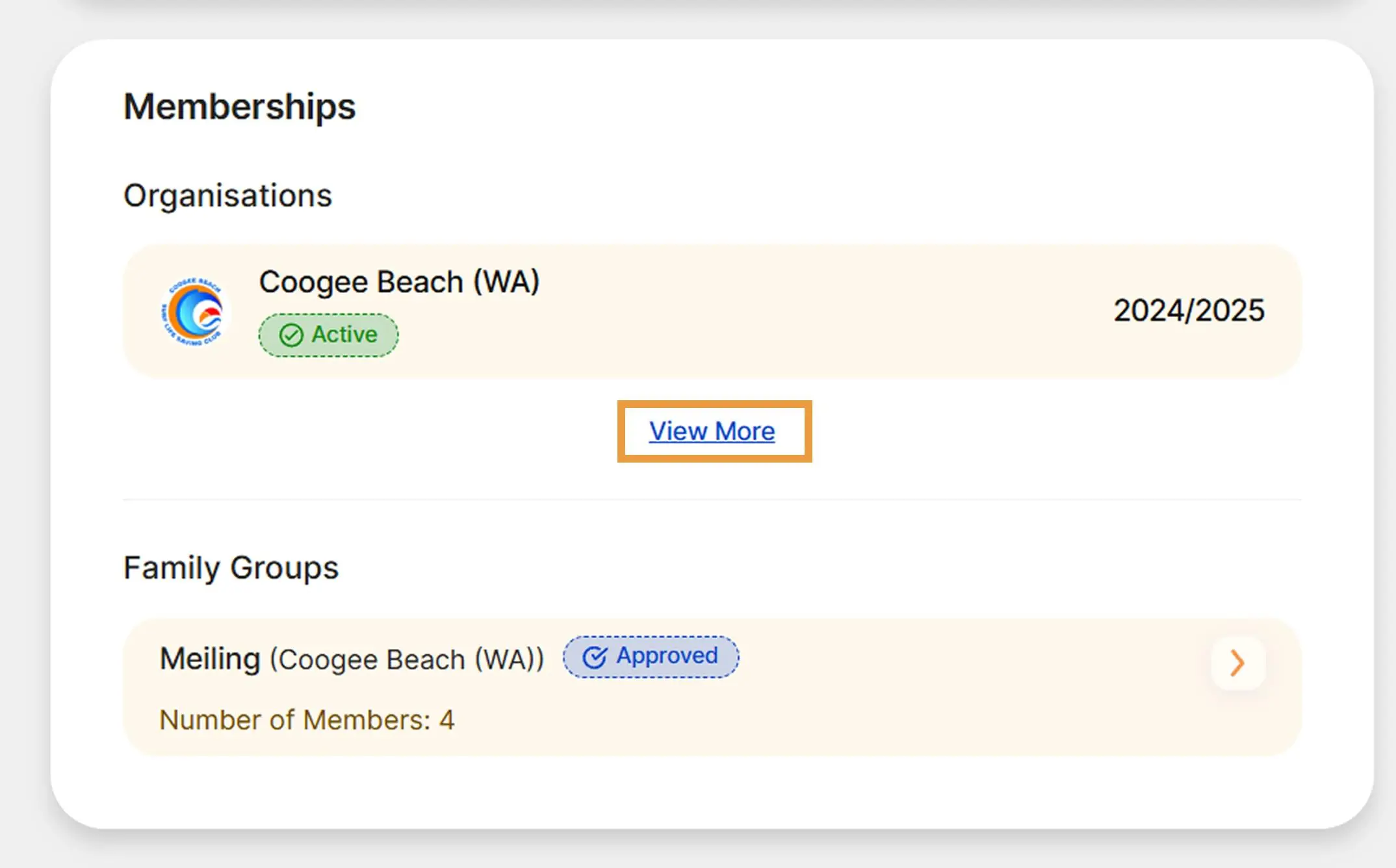
Step 3
Click on Renew at the top of the screen to renew.
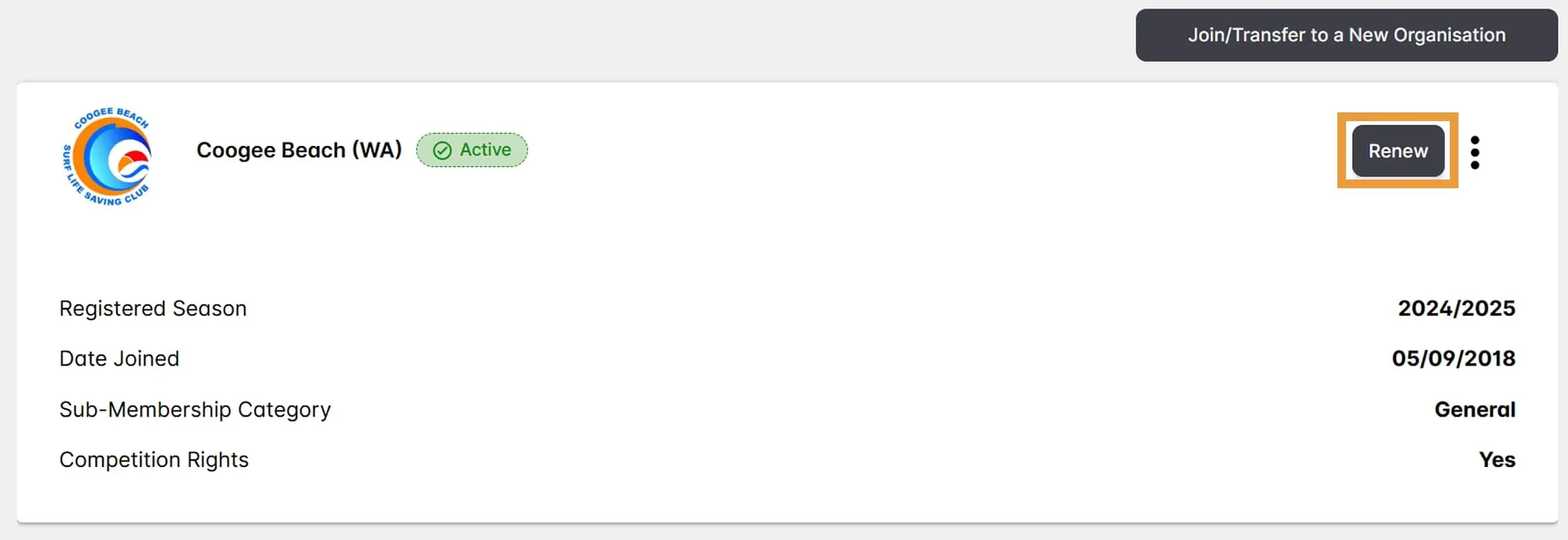
Step 4
Select the season to renew for.
Step 5
Tick the member declaration to acknowledge it and select Next. Note: if you are under 18 years old, an additional declaration will show and must be ticked/acknowledged by your parent/guardian.
Step 6
Select your renewal fee applicable (Active (18yrs and Over)), then click Next.
Step 7
View a summary of fees you will pay.
Step 8
Select your desired payment method and enter the relevant details, then click Pay and Submit Request.
Step 9
Your Club Administrator will review your renewal request and send you an email when it has been approved.
If you have any questions or concerns, please email clubadministrator@cbslsc.com.au.
If you are using a Kidsport voucher, please email us with your code before completing the below process. Please note, if you have a nipper in the program (Under 6 – Under 13) it is a requirement for the parent to sign up as a general member as well).
Step 1
Sign in to your existing SLS Hub account. Please note, some users are having problems creating an account as you need to use your correct details that are in the system. If you need help finding your correct details, email the office on clubadminstrator@cbslsc.com.au.
Step 2
On your Dashboard, click on the arrow next to your Family group under Family Groups.
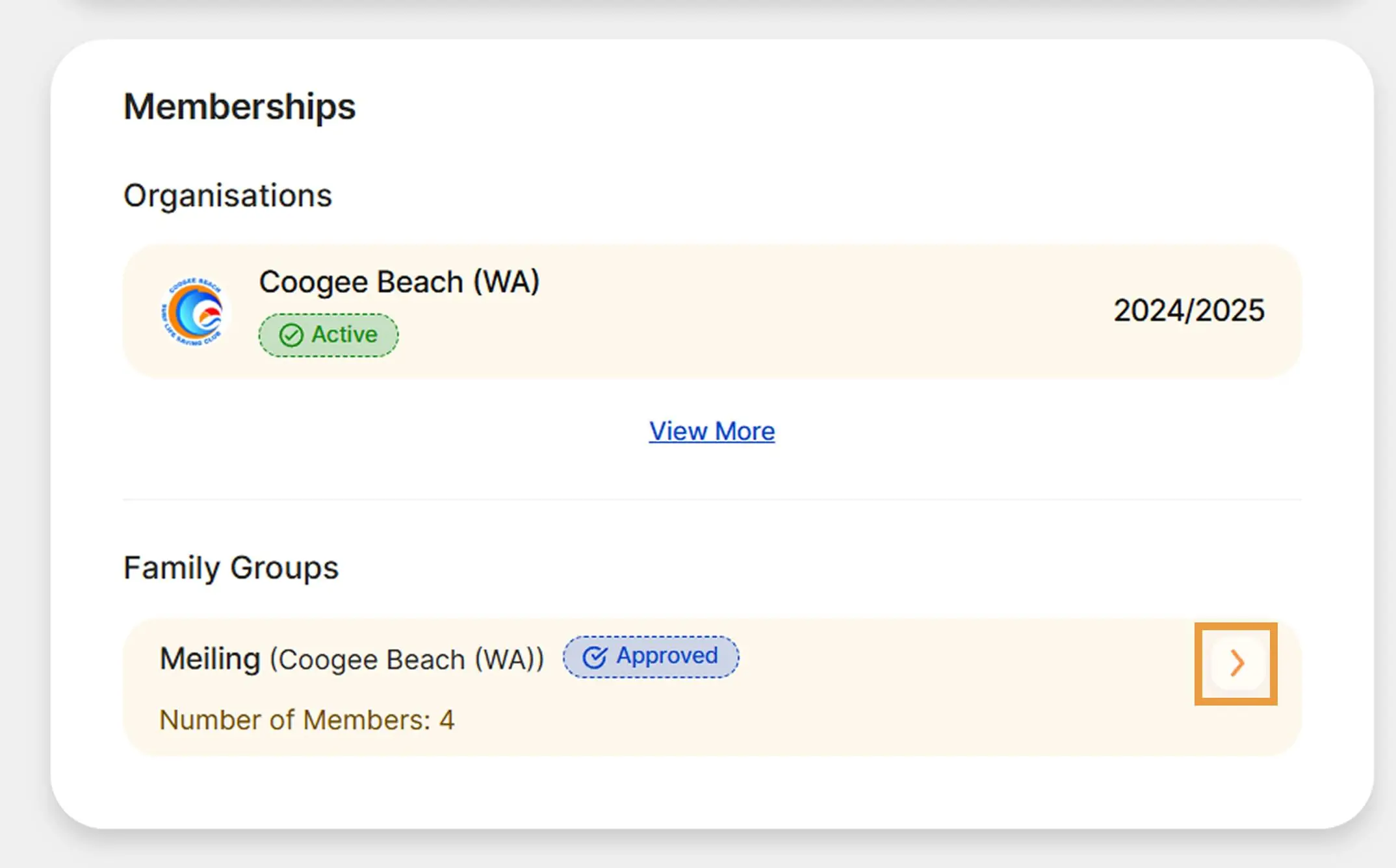
Step 3
Your members of your existing family group will display.
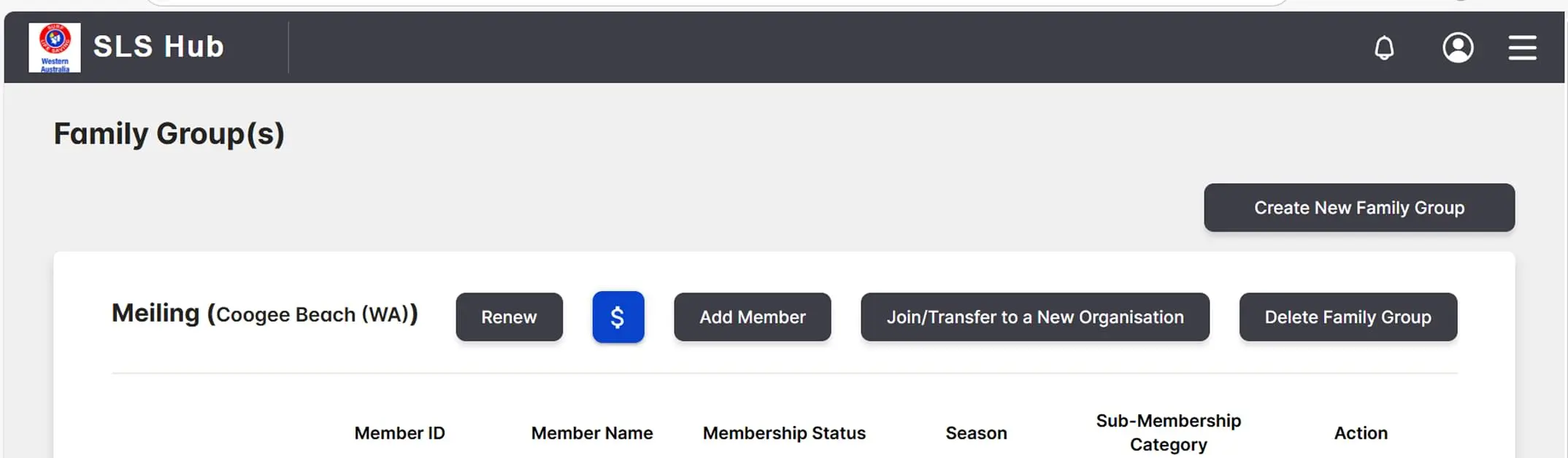
Step 4
Make any necessary changes required to your family group. Add or remove members prior to renewing your membership. If no changes are required, skip to Step 5.
Step 4a
Remove a family member: Click on the three dots next to the member name, then click Remove Family Group Member, that you wish to remove. Click on Remove Anyway if you agree or click on Go Back if you wish to cancel the removal. Repeat for all members you wish to remove.
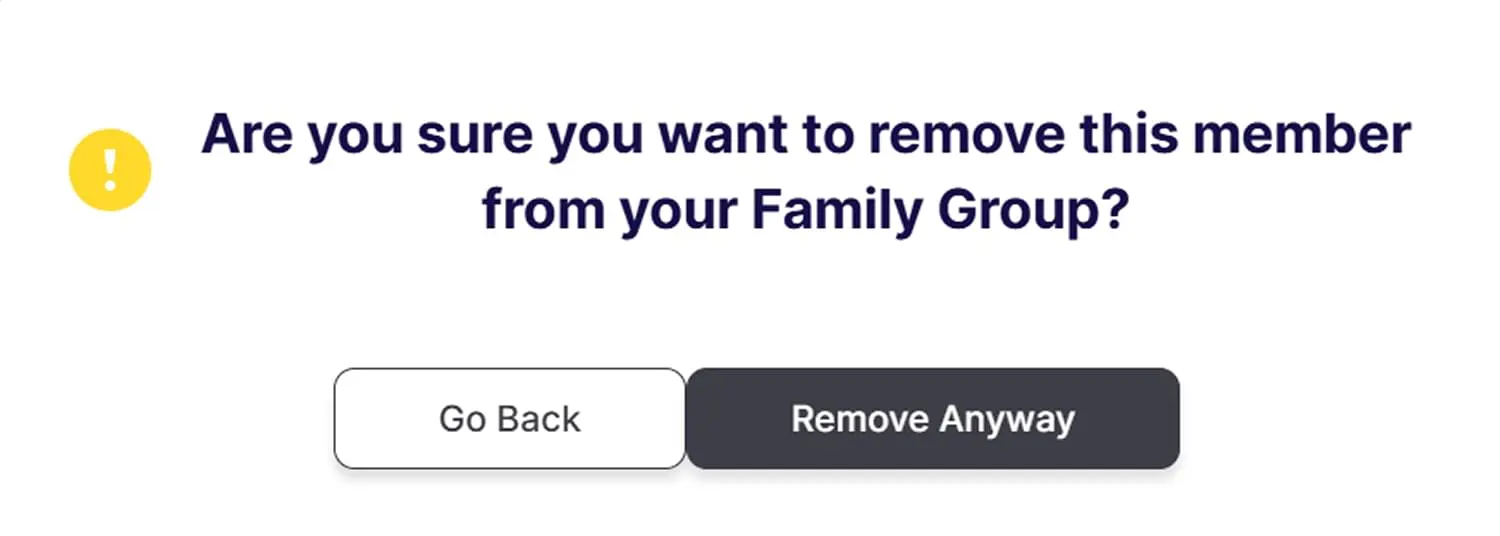
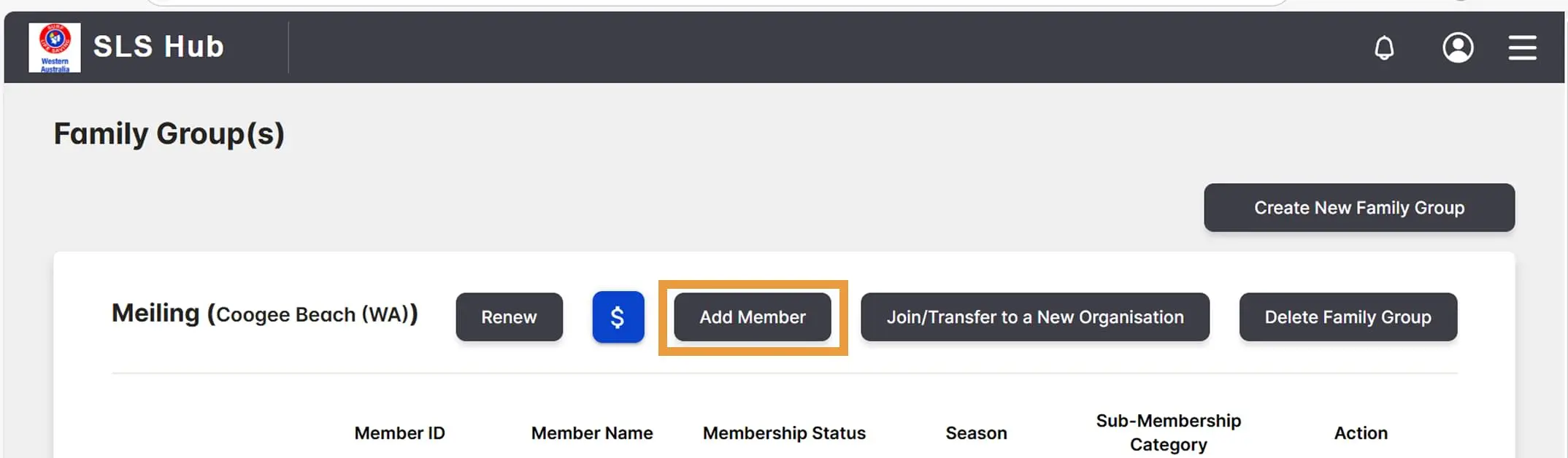
Step 4b
Add a new family member: Click on Add Member at the top of the screen.
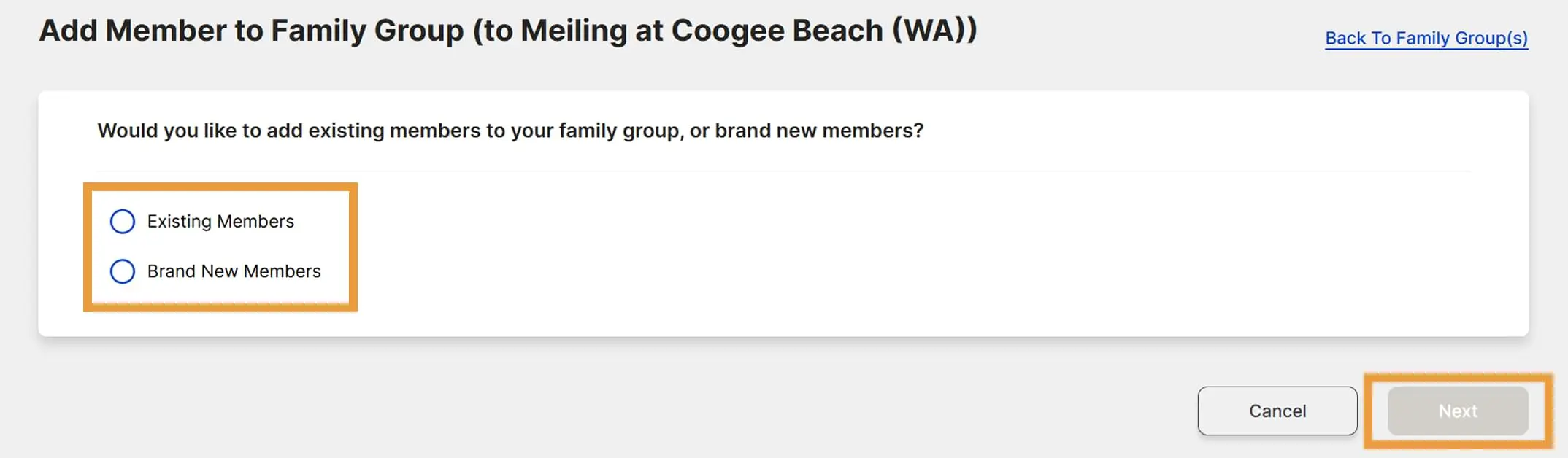
Step 4c
Select Existing Members or Brand New Members then click Next.
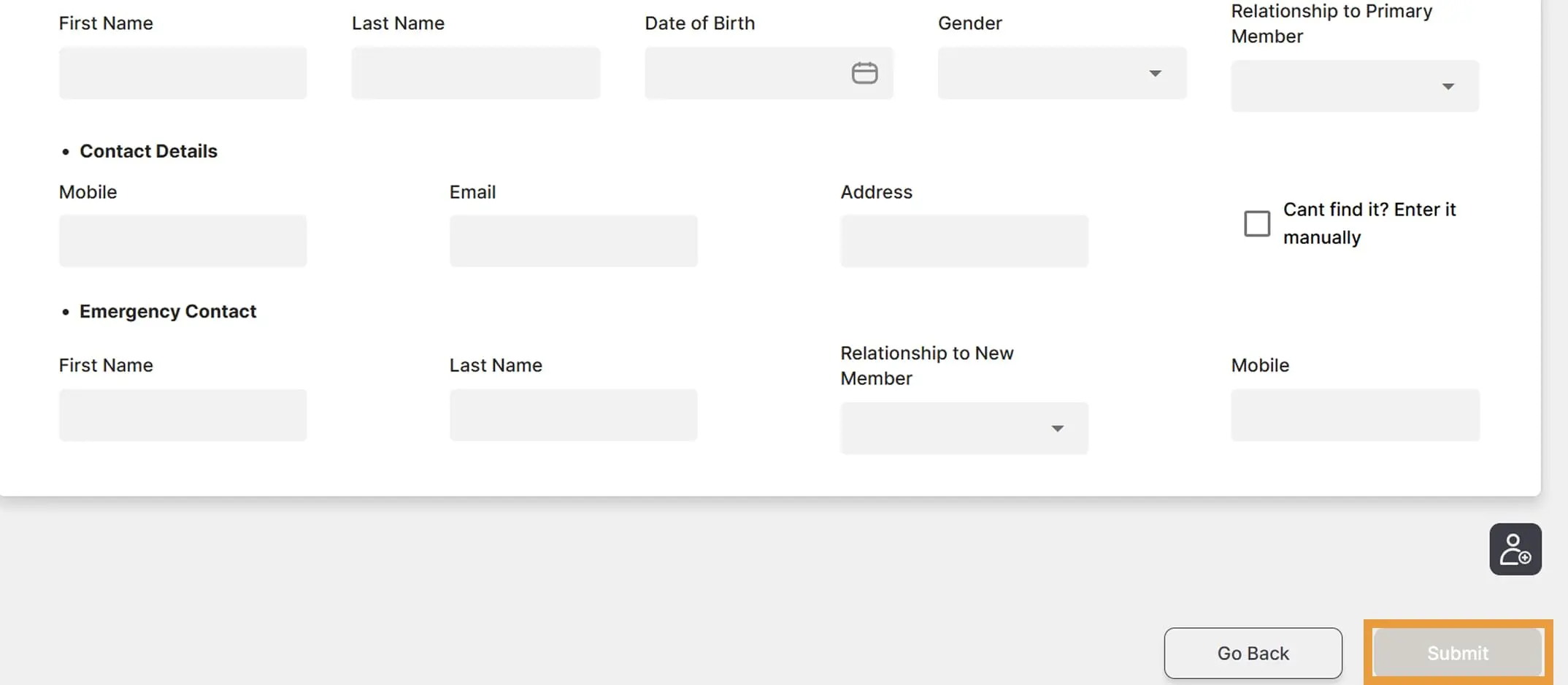
Step 4d
Enter all the details for the new member, then click Submit.
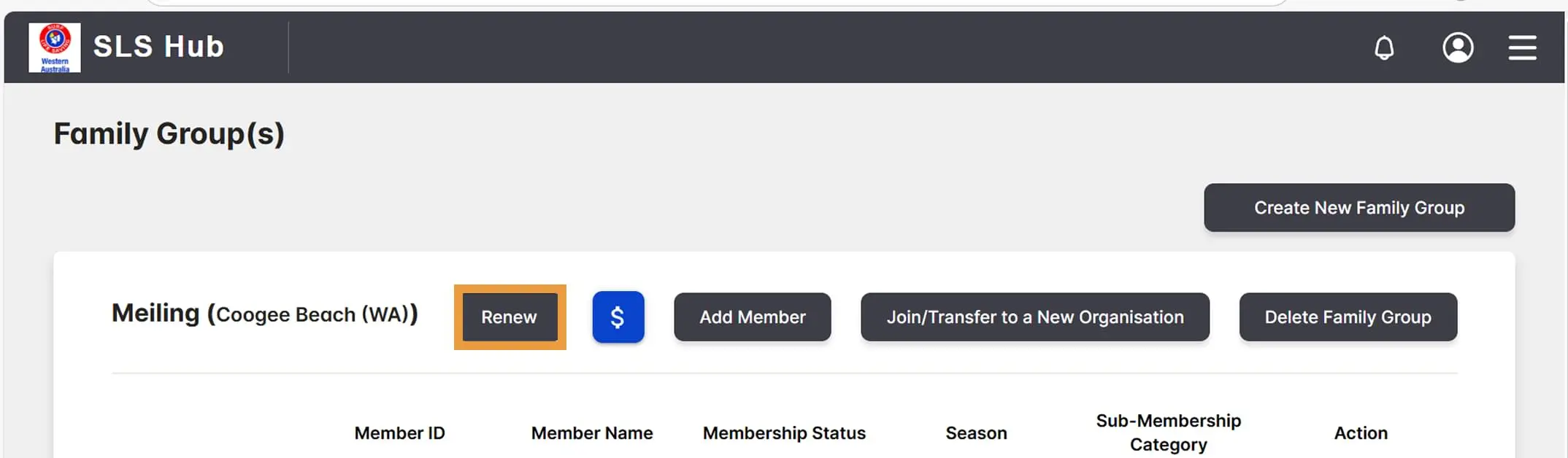
Step 5
Click on Renew at the top of the screen to renew.
Step 6
Select the season to renew for.
Step 7
Tick the member declaration to acknowledge it and select Next. Note, if you are under 18 years old, an additional declaration will show and must be ticked/acknowledged by your parent/guardian.
Step 8
Select your renewal fee applicable, then click Next. Family A (4 members), Family B (3 members), Family C (2 members).
Step 9
View a summary of fees you will pay.
Step 10
Select your desired payment method and enter the relevant details, then click Pay and Submit Request.
Step 11
Your Club Administrator will review your renewal request and send you an email when it has been approved.